ON THIS PAGE
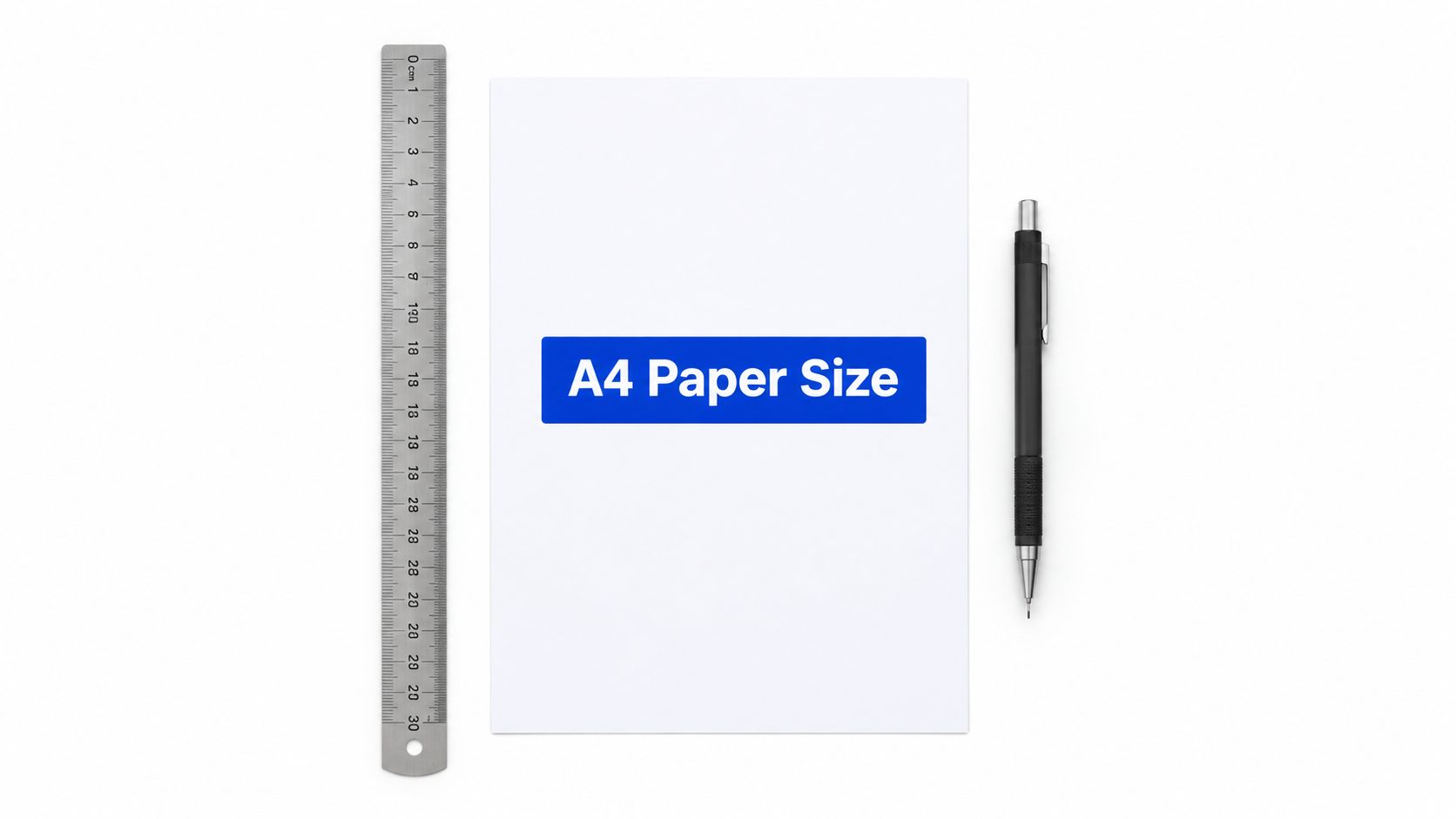
A4 paper measures 8.27 × 11.69 inches (210 × 297 mm), the standard international paper size used in most countries outside North America. In horizontal orientation, those dimensions reverse to 11.69 × 8.27 inches.
You may be checking a document on your screen right now because the printed version came out with a different margin, a shifted page break, or content missing near the edge. The problem often isn't the PDF itself. It may come from confusing A4 with U.S. Letter, relying on rounded measurements, or expecting a printer to use every part of the sheet.
Table of Contents
- Why Knowing A4 Dimensions Matters for Your Documents
- The Exact A4 Paper Size in Inches
- A4 Paper Size Compared to U.S. Letter
- Understanding Tolerances and Real-World Variations
- Printer Margins and Safe Areas for A4 Documents
- Managing A4 Documents with PDFKing Tools
Why Knowing A4 Dimensions Matters for Your Documents
You create a document, choose what looks like the right paper setting, and send it to the printer. Then the header moves, a table spills onto another page, or the printer adds a white border around a full-page design. These problems often begin with a basic paper-size mismatch.
A4 is the standard document format across much of the world, while U.S. Letter remains common in the United States and Canada. The two sheets look similar, but they aren't interchangeable. A4 is narrower and taller, so the difference affects resumes, contracts, school papers, forms, reports, and PDF page layouts.
Start with the nominal page size
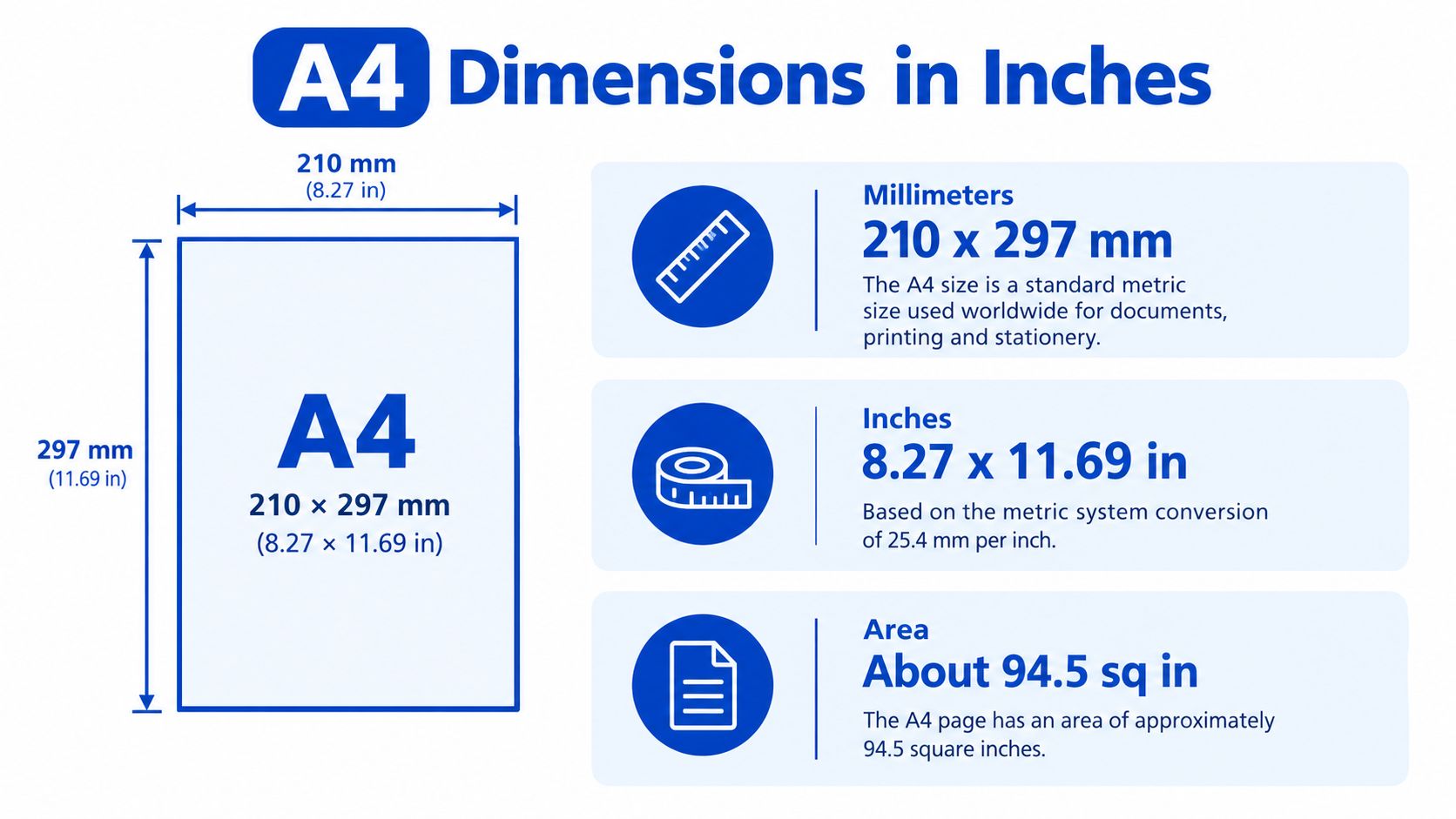
The nominal A4 dimensions are 210 × 297 millimeters, which convert to approximately 8.27 × 11.69 inches. In portrait format, the shorter side is the width and the longer side is the height. Turn the page sideways, and the same measurements become 11.69 inches wide by 8.27 inches high.
That distinction matters when you set up a document in Microsoft Word, a design application, or a PDF editor. If the page is set to Letter while the printer has A4 paper loaded, the software or printer driver may scale the content, change page breaks, or substitute a different paper setting.
Why the setting follows the file
A PDF stores page geometry. It doesn't just describe the text on a sheet. When you export a document, the selected paper size becomes part of the page setup, and that setup influences how the file prints or displays elsewhere.
Practical rule: Set the document to the paper you expect to use, then check the printer dialog before printing.
If your source file is in Word, converting it with a Word to PDF tool can help preserve the intended page format for sharing. Still, conversion doesn't correct a paper-size choice that was wrong at the start. Check the document properties and print preview before you send the file.
The Exact A4 Paper Size in Inches
The conversion is straightforward once you know the relationship between the two measurement systems. One inch equals 25.4 millimeters, so you divide each A4 measurement by 25.4.
- Width: 210 ÷ 25.4 = 8.2677 inches
- Height: 297 ÷ 25.4 = 11.6929 inches
For normal document work, those values are written as approximately 8.27 × 11.69 inches. People also commonly round them to 8.3 × 11.7 inches, but rounded values are less suitable for precise PDF page boxes, print templates, labels, and forms.
Portrait and landscape orientation
Orientation changes the direction of the measurements, not the size of the sheet.
| Unit System | Width | Height | Best Used For |
|---|---|---|---|
| Millimeters | 210 mm | 297 mm | International document setup |
| Inches | 8.27 in | 11.69 in | U.S.-based design and print settings |
| Rounded inches | 8.3 in | 11.7 in | Casual reference |
| Landscape inches | 11.69 in | 8.27 in | Wide tables and presentations |
A4 is defined by the ISO 216 international paper-size standard and is widely used outside North America, especially in Europe and Asia. Its proportions follow a square-root-of-two relationship, so the format can be folded or enlarged while keeping the same overall proportions. That makes the A-series useful when documents need to move between related page sizes.
For office stationery, forms, and filing, you may also need matching A4 continuation sheets when a document continues beyond its first page. If your content starts as a webpage, a webpage-to-PDF guide can help you check the resulting page format before printing.
A4 Paper Size Compared to U.S. Letter
A4 and U.S. Letter are close enough to look interchangeable at a glance. They aren't. A4 is approximately 8.27 × 11.69 inches, while U.S. Letter is 8.5 × 11 inches, as shown in this A4 format comparison.
The difference is easier to understand when you separate width from height. A4 is about 0.23 inch narrower than Letter, but it is about 0.69 inch taller. That extra height can change where a paragraph ends, whether a table fits, and how much space remains below a footer.
| Paper Size | Width | Height | Difference from A4 | Primary Region |
|---|---|---|---|---|
| A4 | 8.27 in | 11.69 in | Reference format | Most countries outside North America |
| U.S. Letter | 8.5 in | 11 in | About 0.23 in wider and 0.69 in shorter | United States and Canada |
What happens when files cross formats
Suppose someone creates a Letter document with a form that ends close to the bottom of the page. When that file moves to A4, the narrower width and taller page can affect line wrapping, table width, and page breaks. A document designed for Letter may reflow onto additional pages when printed on A4.
The reverse can also cause trouble. An A4 document may require scaling or a different paper selection when printed on Letter. Scaling can make text smaller, alter margins, or leave unused space. Automatic substitution may appear convenient, but it gives the printer or application permission to make layout decisions for you.
Choose the loaded paper first
For reliable output, select the paper loaded in the printer. If you have A4 paper, set both the document and the print dialog to A4. If you have Letter paper, use Letter from the beginning.
PDF conversion can preserve a chosen layout, but it can't make two different paper formats identical. A free Word-to-PDF conversion workflow is useful after you have checked the source document's page size, margins, and page breaks.
Understanding Tolerances and Real-World Variations
The nominal size answers the question, “What page format should I select?” It doesn't mean every physical sheet is mathematically identical. Paper manufacturing allows small dimensional tolerances, so the sheet in your hand can vary slightly from the nominal measurement.
ISO-related references report tolerances of ±1.5 mm for dimensions up to 150 mm and ±2 mm for dimensions from 150 to 600 mm, equivalent to roughly ±0.06 inch and ±0.08 inch, respectively, as discussed in this A4 size reference. Those variations are normal for ordinary copying, reading, and office printing.
Separate the page from the finished product
Precision work becomes easier when you distinguish three terms:
- Page size is the digital canvas stored in the document or PDF.
- Trim size is the intended final edge after production or cutting.
- Bleed size extends artwork beyond the trim edge so a cut does not leave an unwanted strip of unprinted paper.
A certificate, legal filing, label sheet, or print-ready form may need more planning than a standard office report. Setting a PDF page to 8.27 × 11.69 inches establishes the nominal page box, but it doesn't automatically provide bleed, a safe area, or a solution for physical variation.
A rounded “8.3 × 11.7” reference is fine for conversation. Use the nominal A4 dimensions when you create an exact PDF page box.
Use A4 proportions intelligently
A4 follows the square-root-of-two ratio. That proportion allows the format to scale consistently when folded or enlarged, which is one reason related A-series formats work well together.
For a routine document, selecting A4 in the editor is usually enough. For precision work, check the page box, define the trim and bleed requirements from the printer or finishing provider, and keep essential content away from the edge. The physical sheet and the digital page should work together, but they are not the same object.
Printer Margins and Safe Areas for A4 Documents
You send an A4 PDF to print, and the page still comes back with clipped text or an unexpected white border. The file may have the correct dimensions. The problem is that a standard printer usually cannot place ink across the entire physical sheet.
The printable region works like an invisible frame inside the paper. Canon distinguishes between a recommended print area and a wider area where printing may technically work. Printing close to the edge can reduce quality or cause smudging. In one documented A4 printer configuration, the printable area is only 8.00 × 11.38 inches, with approximately 0.135 inch of total horizontal restriction and 0.155 inch of total vertical restriction at the edges, according to Canon's print-area documentation.
Follow a preflight sequence
Run these checks before sending an important A4 file to a printer:
- Confirm the PDF page size. Verify that the page is A4 rather than Letter or a custom size.
- Keep ordinary content inside a safe area. Text, signatures, page numbers, and logos should have space between them and the page boundary.
- Add bleed only when needed. Full-page artwork may extend beyond the final edge, but the printer must support that production method.
- Check borderless support. If the device cannot print borderless A4 output, its driver may scale the file or leave white margins.
- Review duplex alignment. Front and back content may shift relative to each other if the driver uses a different flip or binding setting.
| Document Type | Minimum Margin | Bleed Required | Borderless Possible |
|---|---|---|---|
| Ordinary report | Inside the printer's recommended area | Usually not | Depends on the printer |
| Legal form | Keep essential content well inside the edge | Only if the production method requires it | Depends on the printer |
| Full-page artwork | Follow the printer's trim and bleed specification | May be required | Only with supported equipment |
| Labels | Match the label template and safe area | Depends on the sheet | Depends on the printer and media |
Print check: A white border may show a printer limitation rather than a defective PDF.
If your file contains oversized margins or an incorrect page region, use our guide on how to crop PDF pages to adjust the document before testing it again. Cropping changes the PDF page area. It does not let a standard printer place ink beyond its physical limits.
Managing A4 Documents with PDFKing Tools
A correct A4 setup is the starting point. You may still need to combine pages, remove an unwanted sheet, rotate a scanned page, reduce a file for sharing, or convert a document into an editable format. These tasks are separate from paper geometry, but they often appear in the same document workflow.
PDFKing provides browser-based tools for standard PDF and file operations. You can use the PDFKing tools collection to work with files without installing software. The available operations include merging PDFs, splitting pages, compressing files, rotating pages, cropping documents, converting PDF files to Word, and creating PDFs from Word documents or images.
A practical A4 workflow
A dependable process looks like this:
- Set the source document to A4 before writing or designing.
- Export the file and verify the PDF page dimensions.
- Check margins, tables, forms, and edge artwork in print preview.
- Use the printer's A4 setting instead of automatic paper substitution.
- Test a page when alignment or borderless output matters.
Every PDFKing tool is 100% free, adds no watermark, and requires nothing to install. That makes it useful when you need to prepare an A4 file on a computer that doesn't have desktop PDF software available.
A4 is more than a conversion between millimeters and inches. The nominal page size, physical paper tolerance, A4-versus-Letter differences, and printer safe area all affect the finished result. Check each one before you print a document that needs to look exactly as intended.
Frequently asked questions
Is A4 exactly 8.27 × 11.69 inches?
Those are the standard nominal dimensions expressed approximately in inches. The underlying ISO dimensions are 210 × 297 mm, and physical sheets are manufactured within permitted tolerances.
Is 8.3 × 11.7 inches the same as A4?
It is a rounded everyday representation of A4. Use 8.27 × 11.69 inches or 210 × 297 mm when setting up precise PDF page geometry.
What is A4 in landscape orientation?
A4 set sideways is 11.69 inches wide by 8.27 inches high. The sheet size stays the same, but the width and height switch positions.
Why does my correctly sized A4 PDF have white borders?
Most printers don't print to every edge of the sheet. The driver may also scale the file or apply a recommended print area, even when the PDF page size is correct.
Is A4 the same as U.S. Letter?
No. A4 is approximately 8.27 × 11.69 inches, while U.S. Letter is 8.5 × 11 inches. The difference can change page breaks, margins, and form layouts.
Should I use bleed on an A4 document?
Use bleed when the printing or finishing process requires artwork to extend beyond the trim edge. For ordinary office documents, keep essential content inside the printer's recommended safe area.
Prepare your A4 files with PDFKing's free browser-based PDF tools, whether you need to convert, crop, merge, or organize pages. Visit PDFKing to check and manage your document without a watermark or anything to install.